March 22, 2012

Related Works: Part 2

As mentioned in Related Works: Part 1, our team recently reviewed previous literature related to media player organization, social networking integration, recommendation integration, and gesture-based controls to help us better understand current research studies in order to inform our usability test and prototype.

Part 1 covered media player organization and social networking integration. This part 2 will finish our related works overview with recommendation integration and gesture-based controls.


photo source: http://www.cityofsound.com/
For recommendation integration, there are many types of recommendation systems, which are complex, contextual, and continuously evolving. For example, there are Amazon.com’s product recommendation, YouTube's "suggestions", StumbleUpon's recommendation, and Pandora's playlists to name a few. For the purpose of this project, we focused on recommendation integration for front-end development and social-sharing. Studies have shown that most users do not want to navigate through genre lists, sliders, and other forms designed to generate preference data; instead, they want the recommendation system to be as "one-click" as possible (Gannes et al., 2011). This desire for simplicity and efficiency is important for our aVia prototype design. Furthermore, although real-life relationships are an important part of social networking and sharing, when it comes to recommendations, research shows that knowing someone in real-life is not a strong indicator of having similar preferences when it comes to online media. Therefore, recommendation systems use clustering, which puts users together based on interests, regardless of their real-life relationship (Gannes et al., 2011).


photo source: Kroeker, 2010
For gesture-based controls, research discusses the use of “proxemics” as a way for users to communicate with media devices (e.g., digital surfaces, portable devices, information appliances) using gesture-based controls in a fun, customizable, and interactive experience. This includes consideration for five key dimensions when designing these types of proxemic systems: distance, orientation, movement, identity, and location (Greenberg et al., 2011). Furthermore, other researchers have discussed the need to explore alternative interface technologies for gesture controls. Various alternatives include putting a touchscreen on the back of devices in order to allow users to use gesture controls without interfering with their view of the screen, using sensors to adapt to pressure of touch, and exploring other types of sensors, such a “scratch input” technique (i.e., user places a device on a table or surface and scratches the area near the device in order to control certain functionalities, such as adjusting the volume of a song) (Kroeker, 2010).  These are all potential design considerations for our aVia app prototype in order to increase the fun-factor of media player interaction.

See Related Works: Part 1 for an overview of the media player organization and social networking integration literature reviews or check out our full related works report.


March 21, 2012

Related Works: Part 1

Our team recently reviewed previous literature related to media player organization, social networking integration, recommendation integration, and gesture-based controls to help us better understand current research studies in order to inform our usability test and prototype.

photo source: http://www.guardian.co.uk/
For media player organization, researchers emphasize the importance of considering scalability and customizability when designing for media users because of the sheer volume of media consumed and because of the number of devices and personalized organization systems that users already use (Sease & McDonald, 2011). Studies also discuss the importance of the tangible experience of looking through physical media (e.g., CDs, DVDs, photo albums) because it enhances the user enjoyment by involving "the whole human senses" of browsing the shelves, physically touching the media, and hearing other customers talk about the media (Henze & Boll, 2010, p.3980). This helps to inform the design of media players by including album cover art and user commentary in order to simulate this tangible experience.


photo source: http://www.seo.com/
For social networking integration, research states that “object-centered sociality” leads to successful social media experiences because users prefer specific objects (e.g., music, videos, photos) to serve “as anchors for conversations” in their social media experience, as opposed to just discussing people or links to content (McCarthy, 2011, p.17). This type of research demonstrates an opportunity for aVia's media player to provide that object-centered sociality to its users.  In order to do this, several technologies have emerged to fulfill the need of media sharing functionality, especially on social networking sites. For example, cloud technology and DLNA are two widely used technologies for media sharing (Cui, Kim, & Lee, 2011). aVia currently uses DLNA; however, cloud technology is another area for aVia to possibly explore in order to support streaming media. Our team also believes that the aVia "flinging" function may provide a fun, social opportunity for friends to fling media between their devices so that they can co-view/co-listen to media together. This desire to co-experience media together was exemplified during our campus observations when we saw many users sharing headphones or huddled around devices to view and listen to media together.

Look for a post later this week about recommendation integration and gesture-based controls!

For more details, please check out our full related works report.

February 22, 2012

Preliminary Survey Findings


Our preliminary survey sought to understand the behaviors and preferences of media player users.

We had 77 respondents and approximately the same amount of male and female users.

63% were self-identified expert technology users, 27% were average technology users, and 6% were novice technology users.


A majority of respondents (70%) use a media player a couple times a day and they typically consume media through the computer (95%), smart phones (77%), MP3 Players (43%), and radio (41%).


The graph to the left shows the reasons why people typically use a media player.


 A more detailed analysis is provided in our final project proposal.

These results will help to inform our user experience and usability tests in the upcoming weeks!


February 16, 2012

aVia Demo


Last week our team visited the Videon Central office to see a live demo of the aVia application.


We saw how to select one of the many available media sources on a Google TV so that we can listen to music, play videos, or view photos from other devices directly on the TV.


We also learned how to "fling" media from one device to another. We were impressed with how easy it was to select a movie from the Android phone and "fling" it to the GoogleTV.

This week we submitted our final project proposal, which adds more detail to our draft proposal regarding the survey results, user experience tests, usability study tests, and prototype development and evaluation.

Next our team will be kicking off our user experience tests by asking both expert and novice users to explore the aVia app over a few days and then gather their feedback on the experience. This will help to inform our usability tests and prototype design.

February 14, 2012

observations "in the wild"

Here are a few photos of our team's observations when looking for when and how people use media players on campus. Most of the users were listening to music or watching videos while they studied or worked in downtown cafes.

There were also a lot of observations of people using media players on the streets. One man even color-coordinated his red headphones to his red shirt and backpack - perhaps this shows a desire to express one's own style and individuality when using technology?


Other media player users were seen at home, in the gym, on buses, and in stores. A more detailed analysis of this will be found in our updated proposal, which we are finalizing this week.

February 10, 2012

Preliminary Survey

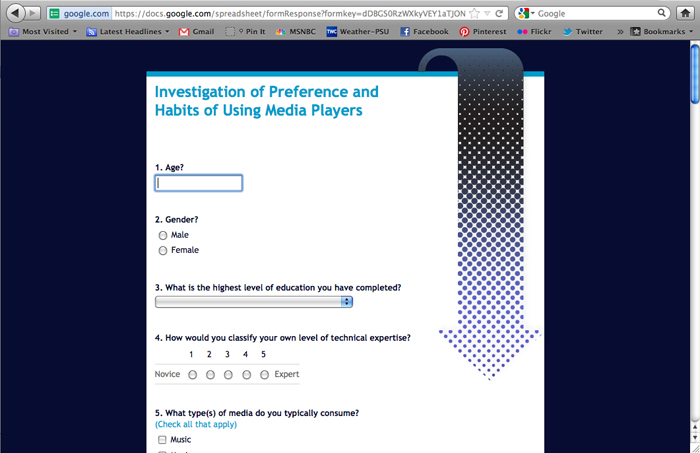
Our team spent this week finalizing our preliminary survey in order to better understand users' preferences and habits when consuming media and using media players. The survey has been open for a little over a day and we already have 50+ responses!


Next we will be working on revising our draft project proposal, gathering data for customer observations, and drafting a more detailed plan for our user experience and usability studies.


February 1, 2012

User Review Word Clouds

We learned in class that you can use word clouds to quickly assess prevalent terms found within a document or website. So our team collected all of the user reviews for aVia on Android Market and on Amazon to see what users were saying about the aVia app.  Here's what we found using the Wordle word cloud generating website:

Android Market User Reviews:

Amazon User Reviews:


Next we will analyze the user reviews in more depth to better understand any recommendations related to usability or social media.